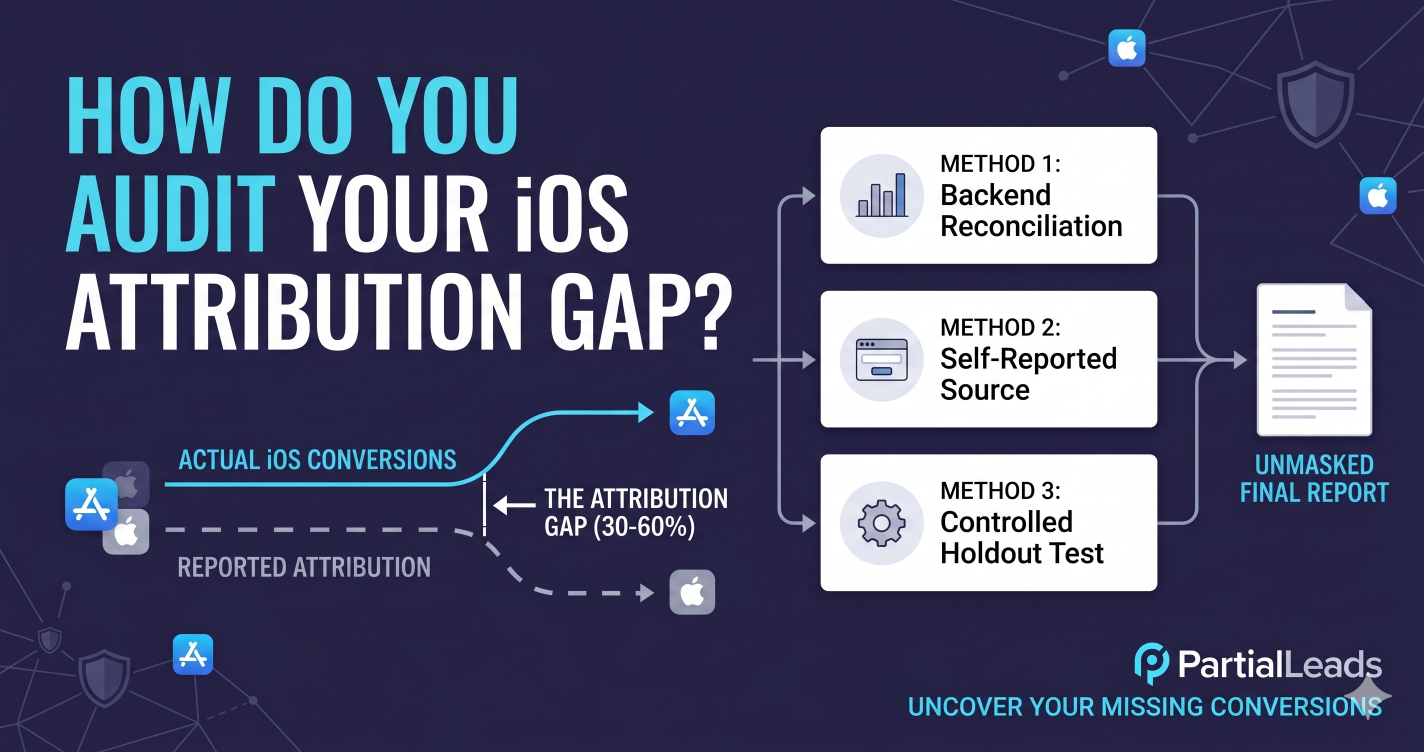
Most operators feel the gap but don’t measure it. This article walks through three measurement methods, sourced expectations for what the Conversions API actually recovers, what’s left for conversion modeling to fill in, and the operational pattern for closing the gap without building a measurement platform from scratch.
What is the iOS attribution gap?
The iOS attribution gap is the share of iOS-driven conversions that your ad platform can’t tie back to the originating ad click. The Pixel fires, the user converts, but the conversion is lost in transit — usually because the user’s browser blocked the Pixel, the matching cookie was capped or evicted, or the user opted out of cross-app tracking via Apple’s App Tracking Transparency (ATT) prompt.
The gap is structural, not a misconfiguration. Three browser-level restrictions stack to produce it:
- App Tracking Transparency (ATT). Apple’s iOS 14.5 (April 2021) introduced a system prompt that asks users for explicit permission before apps and websites can track them across other companies’ apps and websites. Per Business of Apps’ 2024 ATT opt-in data, global opt-in rates have stabilized near 25% — meaning roughly three of four iOS users block cross-app tracking by default.
- Safari Intelligent Tracking Prevention (ITP). Safari caps first-party JavaScript-set cookies to 24 hours when it detects link decoration from a known tracker, and partitions third-party cookies completely. The
_fbpcookie that Meta uses for user matching has a degraded lifetime on Safari. - Ad blockers and content blockers. Network-layer and browser-level ad blockers maintain a stable baseline prevalence of over 30% on desktop, with mobile share climbing as iOS Safari’s built-in content blockers and apps like AdGuard pick up users. Stacked together for an iOS-heavy audience, these restrictions can block half or more of the browser-side Pixel events. CAPI bypasses all three because it runs server-side — but only if it’s configured to capture the right data.
How big is the iOS attribution gap in 2026?
The attribution gap spans 30% to 60% for standard Meta Pixel-only configurations that lack a synchronized server-side path. The exact severity fluctuates with your audience device mix, browser composition, and ad-blocker prevalence. Advertisers with desktop-heavy or Android-leaning users sit at the lower end of the loss spectrum; consumer-facing, mobile-first brands sit at the upper end.
| Audience profile | Typical iOS attribution gap (Pixel-only) |
|---|---|
| Desktop-heavy, Android-leaning, low ad-blocker prevalence | 20–35% |
| Cross-platform consumer audience | 35–50% |
| Mobile-heavy, iOS-skewed, high ad-blocker prevalence | 50–70% |
| B2B audiences (often higher ad-blocker prevalence) | 40–60% |
The numbers are directional. Your actual gap depends on what share of your audience is on iOS, what share is on Safari, what share runs an ad blocker, and what share opted into ATT. The audit methods below let you replace these brackets with a real number for your account.
Two related figures worth knowing for context: ATT opt-in rates hover around 25% globally (Business of Apps, 2024), and Meta has publicly stated that advertisers running CAPI alongside the Pixel see meaningfully lower cost per result — implying the recovered conversions are material to ad performance, not just to reporting accuracy.
How do you measure your own iOS attribution gap?
Measuring your iOS attribution gap requires identifying conversions that occur on your server but never register in your ad platform’s dashboard. You can determine that discrepancy through backend user-agent reconciliation, form-based self-reported source data, or a controlled holdout test. The three methods sit on a curve from lowest cost to highest accuracy.
Method 1: Backend reconciliation (lowest cost)
Reconcile your own backend conversion records against what the ad platform reports it drove. For lead-gen, that’s: total leads in your CRM from iOS users in the period, minus total leads Meta reports it drove from iOS users in the same period. The difference is the gap.
The reconciliation needs three data sources lined up against the same time window:
| Data source | What to pull | How to filter to iOS |
|---|---|---|
| Your CRM or backend database | Total qualified leads in the period | Filter by user-agent containing iPhone or iPad, or by stored device class |
| Meta Ads Manager | Reported lead conversions in the period | Filter the breakdown by platform → iOS |
| Self-reported source on the form (if available) | Count of leads attributing to Meta | Filter to iOS |
If your backend reports 100 iOS leads in a week and Meta reports it drove 45, the implied attribution gap on your account is roughly 55%. Caveats: this assumes Meta did in fact drive most of those leads (not just got credit for organic visitors), and that your audience overlap with Meta’s targeted audience is high enough that the comparison is fair.
Method 2: Self-reported source on the form
Add a “How did you hear about us?” field to the lead form with platform options (Google search, Meta ad, friend referral, podcast, etc.). Compare self-reported Meta attribution to Meta’s platform-reported attribution.
This gives you a directional gap number without backend reconciliation. The catch: self-reported attribution is noisy — users misremember, conflate platforms, or skip the question. Treat the result as a sanity check on backend reconciliation, not as the primary measurement.
Method 3: Controlled holdout test (highest accuracy, highest cost)
Run a controlled test where a randomly-selected subset of your iOS traffic does not fire CAPI events, while the remainder does. After 2–4 weeks, compare reported conversions in each cohort against backend conversions. The difference between the cohorts is the marginal value of CAPI for your iOS audience.
Holdout tests are the gold standard for measuring attribution recovery but require either a tag manager that can conditional-fire based on a hash bucket, or a server-side router that selects which conversions to forward to Meta. For most mid-sized accounts, Method 1 (backend reconciliation) is the right starting point; Method 3 is the right validation step before making large changes to the tracking stack.
The point of the audit isn’t to produce a perfect number. It’s to convert “we probably have a gap” into “we have a measurable 47% gap” so closing it has a quantified ROI for the engineering and ad-spend changes required.
How much does the Conversions API typically recover?
The Conversions API recovers 35% to 80% of missing iOS attribution data when the server payload includes rich match parameters — hashed email, phone, name, and the _fbp and _fbc cookies. Setups that forward only event_name and event_time recover much less because identity resolution requires strong match keys. Event Match Quality (EMQ) score is what determines actual recovery, not the presence of CAPI itself.
| CAPI configuration | Typical share of the iOS gap recovered |
|---|---|
Minimal CAPI (no hashed PII, no _fbp/_fbc, EMQ < 5) |
10–25% |
Standard CAPI (hashed email, _fbp from cookie, EMQ 6–7) |
35–55% |
High-quality CAPI (hashed email + phone + name, _fbp + _fbc, EMQ 8+) |
55–80% |
The driver is Event Match Quality. CAPI events with an EMQ below 5 carry server-confirmed conversion data but Meta can’t reliably match them back to real Meta users, so the optimization and attribution benefits are limited. EMQ scores in the 8–10 range mean Meta is matching most events to real users, and the recovered conversions feed back into bidding the same way Pixel-matched conversions would.
The implication: CAPI alone is not the recovery; CAPI configured with full match parameters is the recovery. A CAPI integration that sends only event_name and event_time to Meta closes very little of the iOS gap, even though it “works” in the sense that events arrive at Meta’s endpoint.
What’s the residual gap that conversion modeling fills?
The residual gap is the 10% to 20% of iOS conversions where identity links can’t be established directly — even after a high-quality CAPI integration. Meta fills this with conversion modeling: machine-learning estimates that blend observed event patterns, audience-level statistics, and Apple’s privacy-preserving signals into best-guess attribution.
Modeled conversions show up in Meta’s reporting alongside observed conversions, typically labeled or separately exposed in the attribution breakdown. The modeling improves over time as Meta accumulates training data; for the average advertiser in 2026, conversion modeling closes another 5–15 percentage points of the residual gap after CAPI.
The full attribution stack on iOS in 2026 looks like:
- Browser-side Pixel — captures 40–70% of iOS conversions (the share whose browsers haven’t blocked the script).
- Conversions API — recovers 35–80% of the conversions the Pixel missed, depending on EMQ.
- Conversion modeling — adds another 5–15% on top via Meta’s ML estimates.
- SKAdNetwork (SKAN) — for app campaigns specifically, Apple’s own attribution framework adds a privacy-preserving signal. The residual gap that nothing closes — true iOS conversions that escape all four — is typically in the 10–20% range for well-instrumented accounts. There’s no measurement technology in 2026 that closes it to zero; accept the residual and plan around it.
How do you run a controlled test of attribution recovery?
A controlled attribution recovery test splits incoming traffic into isolated tracking variants and measures the lift attributable to the tracking change rather than to ad-side variance. Run the test over a conversion window long enough to outlast normal noise from cohort spend drift, day-of-week effects, and creative refreshes.
Test structure:
- Pick a single variable. Test “Pixel + CAPI with full PII” against “Pixel-only” — not against “no tracking at all.” Isolating one variable is the only way to attribute the lift to the change.
- Pick a randomization unit. User-level (hash the user ID into a bucket) is cleaner than session-level. If you don’t have user IDs at the impression layer, region-level (geo holdout) is the standard fallback.
- Pick a duration. 2–4 weeks is the typical minimum for B2C; 4–8 weeks for B2B because the conversion cycle is longer.
- Pick a denominator. Compare reported conversions per dollar of ad spend, not raw conversion counts — spend can drift between cohorts.
- Compute the lift. The cohort with the better tracking should produce higher reported conversions for the same spend. The percentage difference is the recovery attributable to the change. For most mid-sized accounts, the most useful version of this test is Pixel + CAPI with full match data vs Pixel + CAPI with minimal match data. It isolates the EMQ-driven recovery from the broader CAPI implementation, which tells you whether the value is in having CAPI or in configuring CAPI correctly.
How does PartialLeads help close the iOS attribution gap?
The iOS attribution gap closes when three things happen together: every conversion fires a CAPI event from a server-side path that ad blockers and ATT can’t intercept, the CAPI event includes hashed PII for high Event Match Quality, and the _fbp and _fbc cookies are present even when the browser-side Pixel never fired. PartialLeads handles all three as a single integration.
- Server-side CAPI as the primary signal. Conversion events are dispatched from PartialLeads’ backend, not the browser. Ad blockers, ATT opt-out, and consent denial don’t affect the server-to-server transport. The events reach Meta whether or not the user’s browser allowed the Pixel to load.
- Full user-data payload for high EMQ. The tag captures email, phone, and name as the visitor types — before they submit the form — and hashes them server-side with SHA-256 to Meta’s spec. Every CAPI event arrives with the customer-data parameters that drive EMQ into the 8+ range, which is where CAPI recovery is actually large.
- Synthetic
_fbpand_fbchandling. When a visitor lands without a_fbpcookie (because the Pixel was blocked), the tag generates one in Meta’s format (fb.1.<creation_time_ms>.<random_number>) and writes it as a first-party cookie. When the visitor arrives from a Meta ad withfbclidin the URL, the tag wraps it into the correctly-formatted_fbccookie. Every CAPI event includes both parameters, which is the matching signal Meta uses when other identifiers don’t resolve. - Capture before submit. For lead-gen flows specifically, the script captures form data as it’s typed. Conversions that would have been abandoned (and therefore would have produced no CAPI event at all) become partial-lead records that still fire to Meta — expanding the recovery pool beyond what completed-submit-only CAPI can reach. The structural benefit on iOS: a managed integration that ships all four mechanisms together typically lifts iOS attribution recovery into the 55–80% range cited above for high-quality CAPI, with the partial-lead capture adding incremental recovery on top of completed submissions. For advertisers running Pixel-only or minimally-configured CAPI today, the gap usually closes by 30–50 percentage points within the first 30 days of installation.
The audit methods earlier in this article still apply — measure before and after, run a holdout test if the spend justifies it. The point of a managed solution is to compress weeks of engineering work into a single tag installation, not to bypass the measurement step.
Tell us what's broken. We'll fix your tracking — free.
Describe the tracking/attribution problem you're stuck on and we'll map it to a fix: server-side conversions to Meta, Google, TikTok and Pinterest, plus first-party tracking that survives Safari. No code required.
Sources
- Business of Apps — App Tracking Transparency Opt-In Rates: https://www.businessofapps.com/data/att-opt-in-rates/
- Apple Developer — User Privacy and Data Use: https://developer.apple.com/app-store/user-privacy-and-data-use/
- Meta Business Help — About the Conversions API: https://www.facebook.com/business/help/353532912433684
- Meta for Developers — Conversions API documentation: https://developers.facebook.com/docs/marketing-api/conversions-api
- Meta for Developers — fbp and fbc parameters: https://developers.facebook.com/documentation/ads-commerce/conversions-api/parameters/fbp-and-fbc
- WebKit — Tracking Prevention in WebKit: https://webkit.org/tracking-prevention/